Resolve any validation error shown on the form. Check the requested format, review your address and complete all required fields.
- Formatting: follow the format beside the field. The postal-code example uses capital letters and a space: XXX XXX.
- Address: complete your address, choose Validate Address when required, and check the suggested address before confirming it.
- Email: the primary email and confirmation email must match.
- Other errors: read the message and correct the field before moving on.

Postal-code format examples show an error and a correctly formatted entry.

Postal-code format examples show an error and a correctly formatted entry.
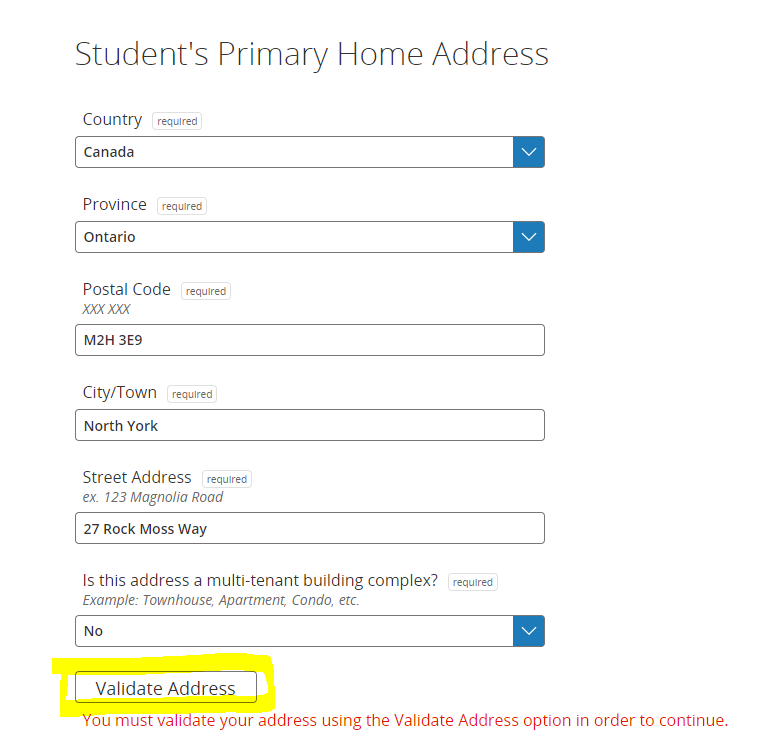
Enter address details and choose Validate Address.

A successful address check allows you to continue.
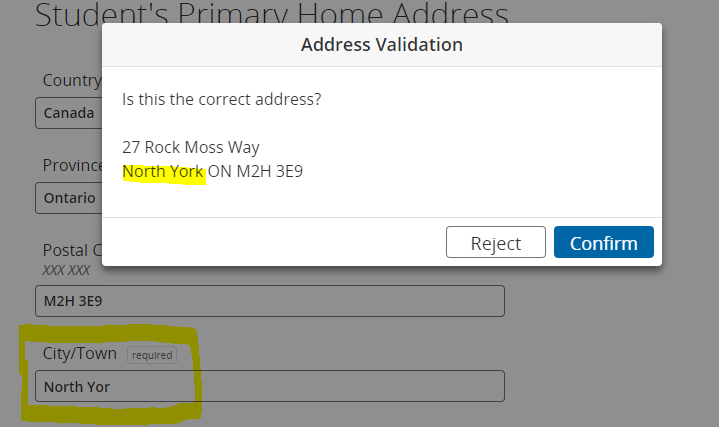
Check the suggested address, then confirm or reject it.
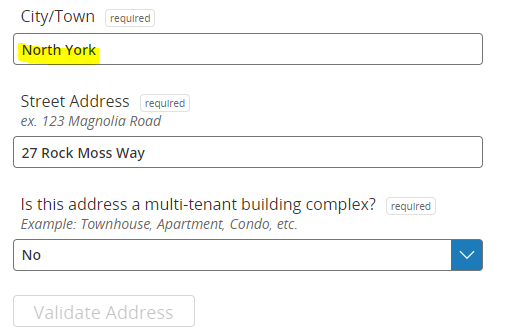
Review the City/Town and street-address fields.
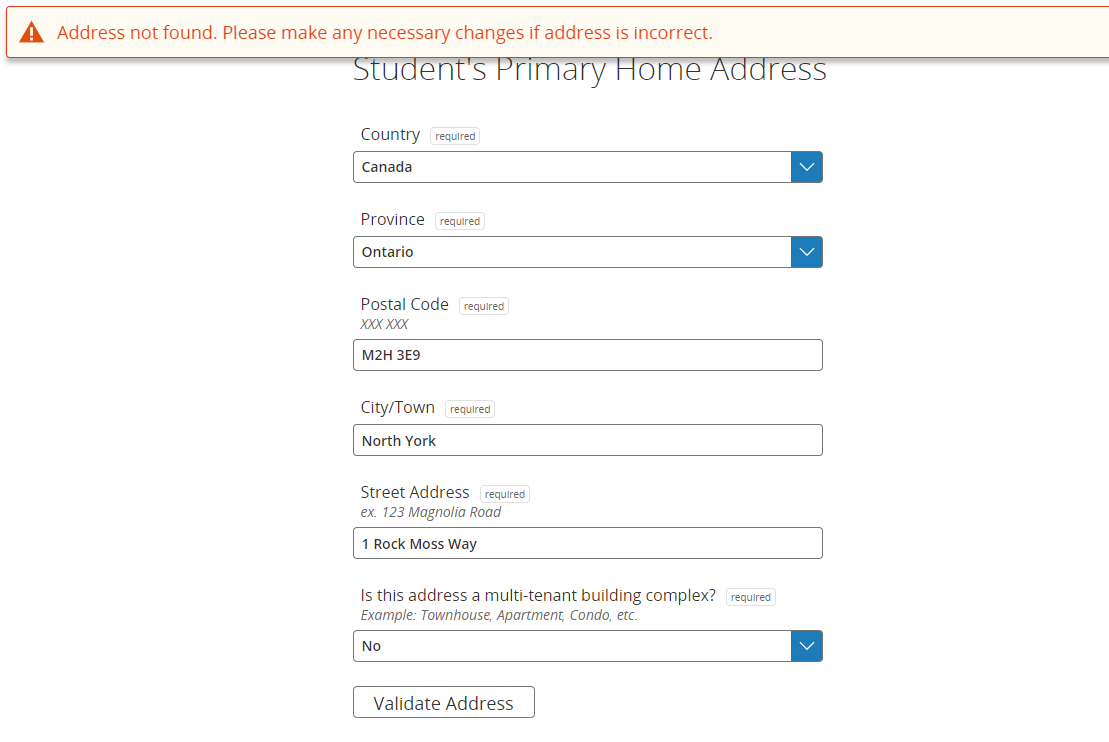
Address not found: review the warning and correct the details.
After resolving the address issue, choose Next.
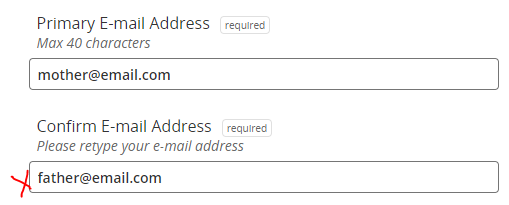
Elementary guide: mismatched email addresses cause an error.
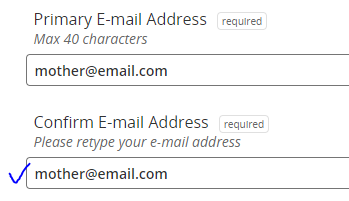
Elementary guide: repeat the primary email exactly.
Secondary guide: mismatched email addresses cause an error.
Secondary guide: repeat the primary email exactly.